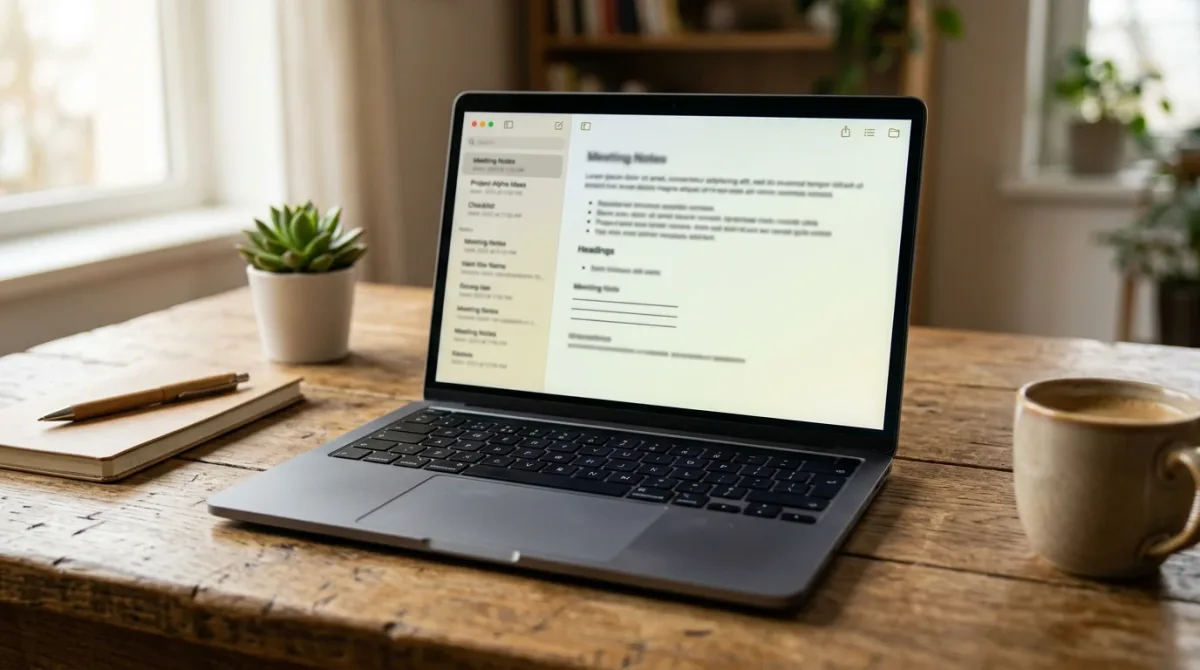
Granola's free plan covers AI meeting notes with limited history, while the paid tiers run $14 a month per user for unlimited notes and integrations, or $35 for enterprise controls, according to the company's pricing page as of August 2026. The app does not keep your audio: its privacy policy says recordings are captured only to generate a transcript and are deleted once that transcript exists.
That policy detail matters because Granola just became a much bigger company. TechCrunch reported on March 25, 2026 that Granola raised $125 million in a round led by Index Ventures and Kleiner Perkins, pushing its valuation to $1.5 billion, up from $250 million less than a year earlier (SRC-01). The app now counts Vanta, Gusto, Asana, Cursor, and Mistral AI among its enterprise customers, and it has been adding features aimed at teams rather than individual note-takers — including a September 2025 launch of reusable AI prompts called Recipes, which co-founder Chris Pedregal said were built because users kept copying transcripts into ChatGPT or Claude to ask follow-up questions (SRC-02).
What does the free plan actually include?
Granola's Basic tier is free and includes AI-generated meeting notes, AI chat within and across meetings, shared folders, customizable note templates, multi-language support, and the option to opt out of model training at any time, per the company's pricing page (SRC-04). The catch is meeting history: Basic access is described as "limited," without a specific cap stated on the page.
Is the $14 Business plan worth paying for?
If you live in more than a handful of recurring meetings, probably yes. Business unlocks unlimited meeting notes and history, more advanced AI models inside the app, and integrations with Slack, Notion, HubSpot, Attio, Affinity, and Zapier, plus API and MCP access for connecting Granola to other tools (SRC-04). None of the sources in this report established how those advanced models differ in accuracy from the free tier's — Granola's pricing page names the feature but does not benchmark it, and no independent test of Granola's transcription accuracy turned up in this reporting.
Enterprise, at $35 a user, adds single sign-on, admin-level sharing and API controls, org-wide auto-deletion schedules, and an org-wide opt-out of model training — useful for a company that wants one policy applied to every employee's account rather than trusting each person to set it themselves (SRC-04).
Does Granola keep or train on your meeting audio?
According to Granola's privacy policy, effective July 24, 2026, raw recordings are not retained: "Any recordings of communications using our Services are captured only for the purposes of providing you a transcription. We do not retain or store such recordings once the transcription is created" (SRC-05). The policy also states Granola does not let outside AI companies train on your personal data: "We do not allow third parties such as OpenAI or Anthropic to use your Personal Data to train AI models" (SRC-05).
That is not the same as no training at all. Granola says it uses de-identified, aggregated data internally, and that this de-identified data "may be retained indefinitely, as it cannot reasonably be attributed to you individually" (SRC-05). Individual users can opt out of that in account settings; enterprise accounts have it switched off by default, and admins can enforce that setting company-wide (SRC-04, SRC-05). If you want your account deleted outright, the policy lists three paths: deleting the account through the Help Center, removing individual summaries from the dashboard, or emailing [email protected], with a stated response window of up to 45 days for verified requests (SRC-05).
Where does Granola do well, and where does it break down?
The capability that keeps showing up across Granola's own announcements is the thing it was built around: notes generated from a meeting without a visible recording bot joining the call, since it runs locally on the user's machine, per TechCrunch's funding coverage (SRC-01). The Recipes feature extends that by letting people save a prompt once — say, "turn this into a sales follow-up email" — and reuse it across meetings instead of retyping instructions into a separate chatbot each time (SRC-02).
What the sources reviewed here don't establish is transcription accuracy in any measurable sense, how Granola performs in noisy rooms or with heavy accents, or how its output compares side by side with a competitor's on the same recording. Nothing in TechCrunch's reporting or Granola's own pages quantifies error rates, and no independent benchmark surfaced in this research. Treat capability claims about note quality as vendor-stated until a named third-party test says otherwise.
How does it compare to Notion's built-in transcription?
Notion shipped its own meeting-notes feature on May 13, 2025, letting users transcribe and summarize calls with the "/meet" command, apply preset formats like Sales Call or Standup, and take notes alongside the transcript in real time — a workflow TechCrunch described as closely resembling Granola's (SRC-03). The practical difference is where the feature lives: Notion's version is bundled into a workspace many teams already pay for, while Granola is a dedicated app that has to justify a separate subscription. TechCrunch's coverage did not include a price or feature-by-feature comparison between the two, so that trade-off is a judgment call, not a documented one.
Who should actually sign up?
Someone taking a couple of calls a week can likely stay on Granola's free tier indefinitely and never hit a wall worth paying for. Someone running back-to-back client or team meetings, and who wants notes searchable months later plus integrations into Slack or a CRM, is the person Business is priced for. Enterprise only makes sense once a company needs one privacy policy — not one per employee — enforced automatically, which is the exact gap Granola built SSO and org-wide auto-deletion to close.
Frequently asked questions
Does Granola record video, or just audio?
Granola's privacy policy addresses recordings of "communications" broadly and states they are used only to produce a transcript, then not retained (SRC-05); the sources reviewed here did not specify whether video capture works the same way as audio.
Can I use Granola without giving it calendar or meeting-app access?
The sources in this report do not address Granola's permission requirements in detail; check the app's own onboarding for current requirements before connecting accounts.
What happens to my notes if I cancel a paid plan?
Granola's pricing and privacy pages describe account and data deletion options — through the Help Center, the dashboard, or a request to [email protected] — but do not spell out what happens automatically to existing notes the moment a subscription lapses (SRC-04, SRC-05).
For a related business news perspective, read Is AI actually taking entry-level jobs? Here's what the data says.
For more context, read How overdraft opt-in works, and what happens if you say no.
For more context, read That Request: Unable and Request.