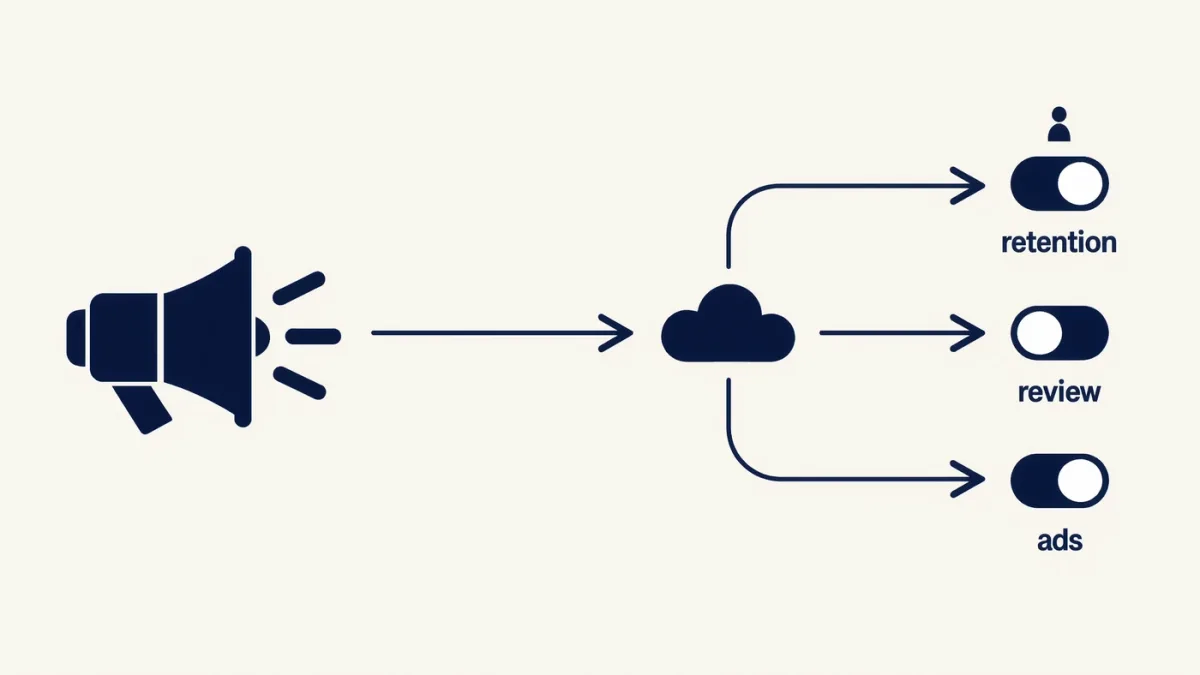
Smart speakers can be made meaningfully more private in about twenty minutes: delete your stored voice history, opt out of human review of recordings, turn off ad personalization built from voice interactions, review the third-party skills and devices holding access, and give the speaker a physical mute in rooms where privacy matters more than convenience. You will not make an Alexa or Google Nest device fully private — the microphones, the wake-word processing, and the cloud pipeline are the product — but the default settings retain far more, for far longer, than almost anyone assumes.
What do these speakers actually collect?
By design, they listen continuously for a wake word and record what follows it. What surprises people is the rest: those recordings are stored in the cloud by default, sometimes indefinitely; accidental activations capture snippets of daily life and send them off for processing; both Amazon and Google employ (or contract) humans who review a sample of recordings to improve transcription — a practice that drew regulatory action in multiple countries after 2019 exposures, and which is now opt-in or opt-out depending on jurisdiction and settings; and associated metadata — device interactions, requests, and smart-home activity — feeds personalization profiles used for advertising. A speaker with a screen adds cameras to the list; a speaker synced to a phone account inherits the account's full activity graph.
Which settings should you change?
For Amazon Echo (in the Alexa app):
- More > Activity > Voice history — review what is stored, set an auto-delete window (3 or 18 months) or delete everything now, and disable "Use of voice recordings" for service improvement where offered in your region.
- More > Settings > Alexa Privacy — walk every page: smarter home, detected sounds (Alexa Guard's smoke/glass-breaking listening), and the skill permissions granted over time.
- Settings > Communication — disable Drop In unless you genuinely use it; it permits other household members' devices to connect to your speaker's mic.
For Google Nest (at myactivity.google.com and in the Home app):
- Open My Activity, filter by Voice and Audio, review, delete, and set the auto-delete control to 3 or 18 months.
- In the Home app, tap your profile > Settings > Privacy — review voice-model and personalization settings, and turn off audio human review where applicable.
- Check partner and device integrations under your Google account's security page, revoking anything unfamiliar.
What about accidental recordings?
The wake-word model misfires — television dialogue, similar-sounding phrases, household chatter — and every misfire ships audio to the cloud. Mitigations: keep the speaker away from the television, use the stiffer "deactivate by default" options where offered, review voice history monthly (the snippets of accidental capture are visible and deletable there), and rely on the speaker's indication — the lit ring or lights — as your cue for when it is listening. The mute button is the honest override: it disconnects the microphone electrically, and it belongs pressed during sensitive conversations, in bedrooms, and during any work call in the speaker's range.
What is the realistic threat model?
Rank the risks honestly. Data retention and profiling: the mass of stored audio and metadata, held long-term and potentially exposed in an account breach — the most likely harm. Accidental capture: snippets of private life recorded and reviewable by contract humans — the documented embarrassment-and-exposure risk. Live eavesdropping: a compromised account or a malicious third-party skill pulling audio — rarer, but demonstrated by security researchers repeatedly, and the reason to audit installed skills and revoke dead integrations. Government demand: stored voice records are obtainable by legal process, which is a function of retention — another argument for the auto-delete setting. Physical compromise of home devices by strangers, the fear most people actually voice, sits near the bottom.
Should you just not have one?
A defensible answer for bedrooms, home offices, and any room where medical, legal, or financial conversations happen. For kitchens and living rooms, a configured speaker with a short retention window, no human review, and a habitual mute is a reasonable convenience trade many households will still make — knowing the cloud pipeline remains, and that the settings pages above are the control surface that exists. If the answer is no speaker, the workarounds (phone assistants with the same settings hygiene) inherit the same obligations in smaller form.